
Features
One app for billing, stock and payments
InvoPro connects every part of the business side — so a sale updates your stock, your receivables and your GST figures automatically.
Invoicing
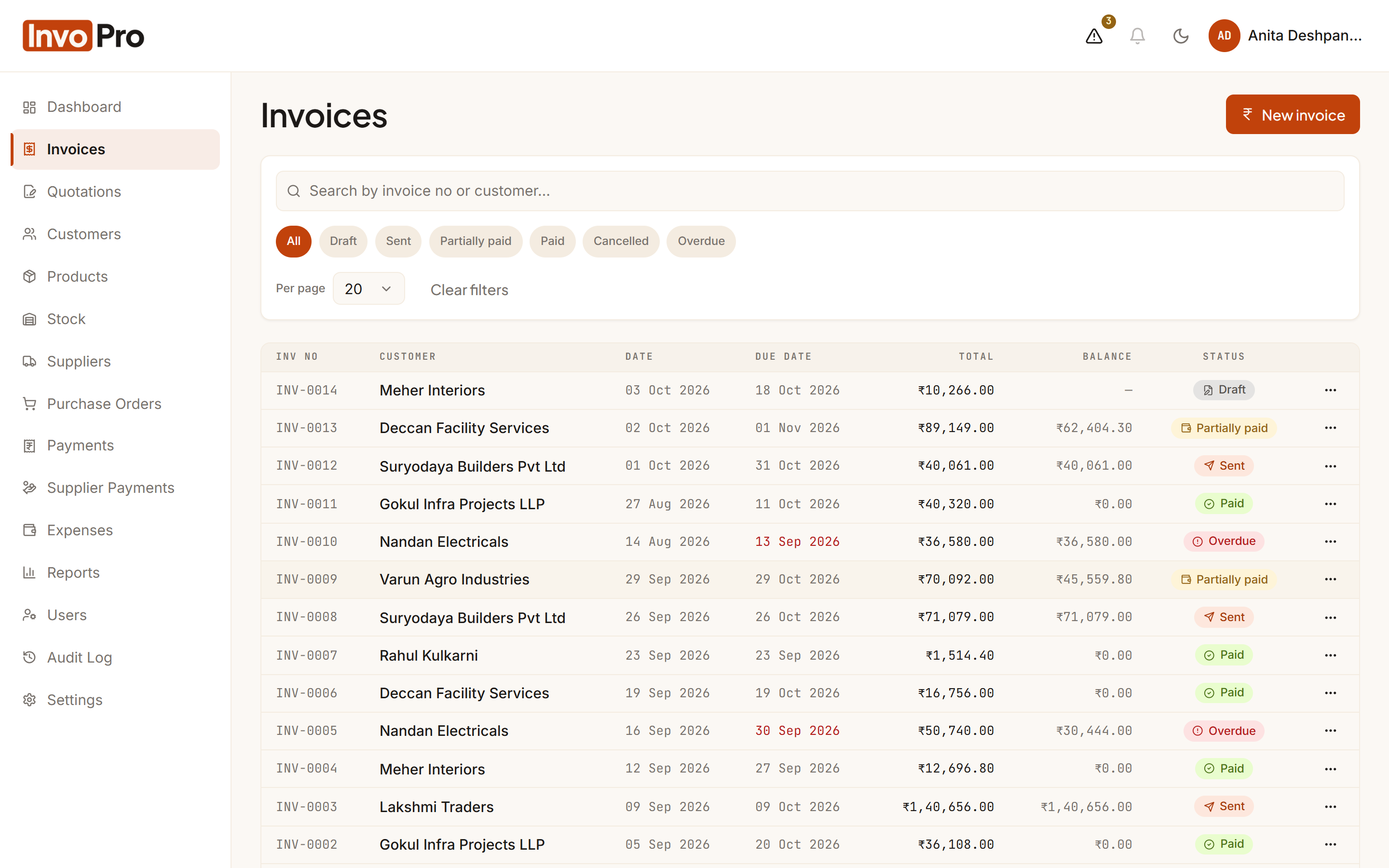
Professional GST invoices, sent in minutes
Pick the customer, add items and InvoPro works out the tax, totals and due date. Email the PDF straight from the app.
- CGST + SGST or IGST applied automatically from the customer’s state
- Due date filled in from each customer’s payment terms
- Email the invoice PDF to up to 5 recipients, with CC
- Draft, Sent, Partially paid, Paid and Overdue — always up to date
- Your own prefix, with continuous numbering or a yearly reset such as INV/2026-27/0001
Quotations
Quotes that look as good as your invoices
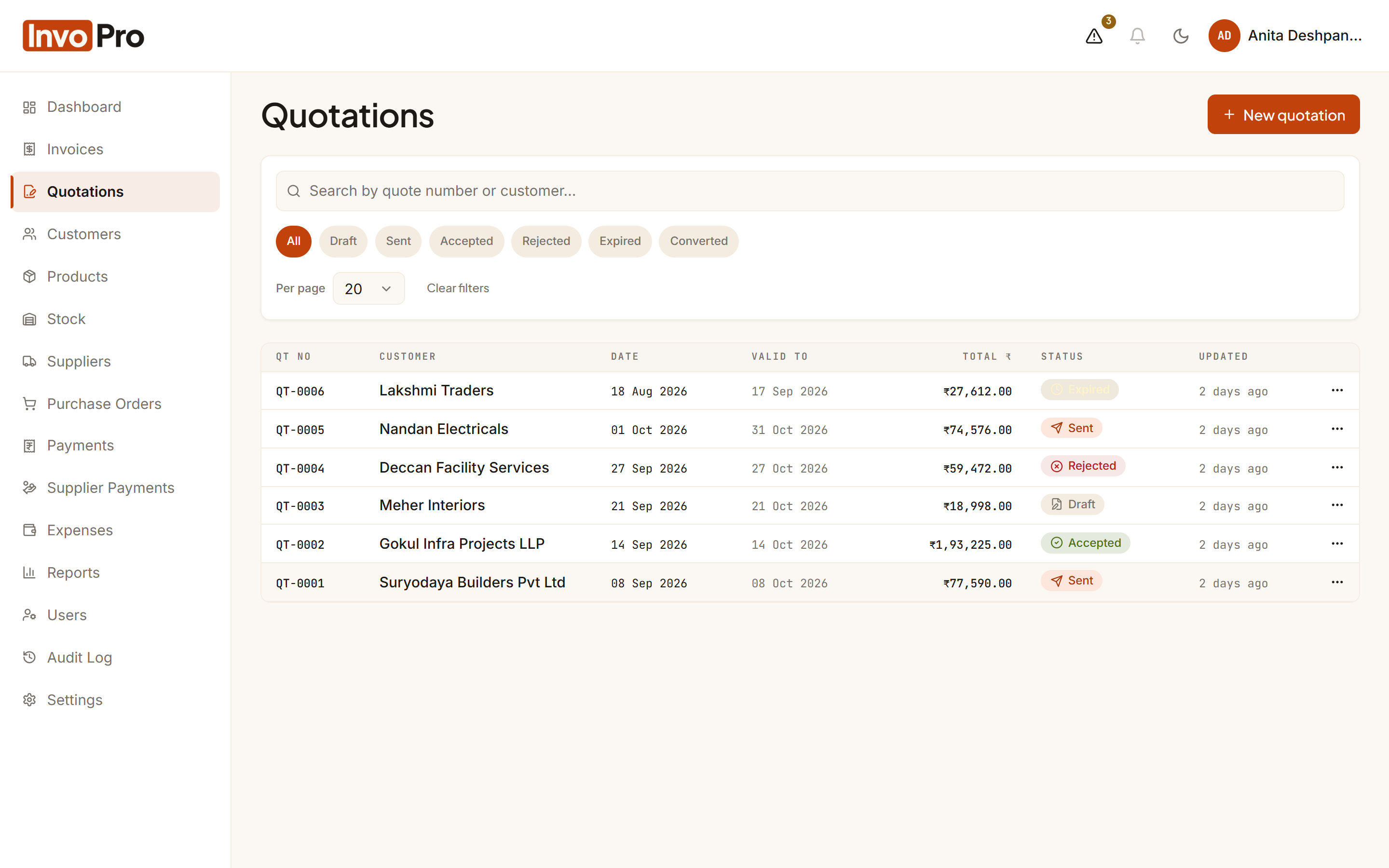
Send quotations with validity dates, terms and line discounts, and track which ones customers accept.
- Valid-until date, notes and terms on every quote
- Track Draft, Sent, Accepted, Rejected and Expired quotes
- Download or email the quotation PDF
GST & tax
GST-ready numbers for you and your CA
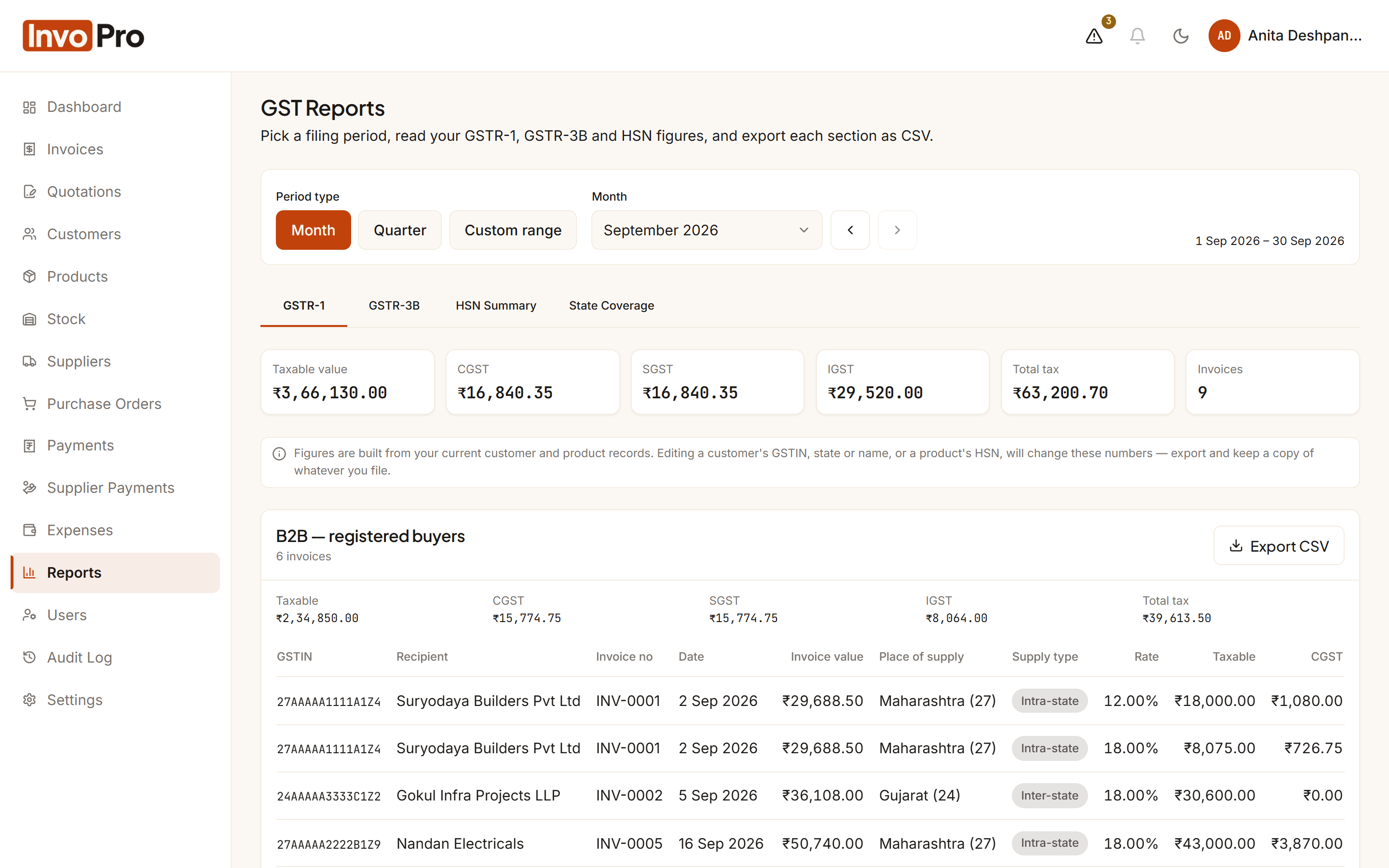
Tax is split correctly on every invoice, and the reports your accountant asks for are a click away.
- GSTR-1 data: B2B, B2C Large and B2C Small sections
- GSTR-3B outward-supply summary and Table 3.2 (inter-state B2C)
- HSN summary built from the HSN/SAC codes on your products
- GSTIN stored for customers and suppliers, with format checks
- Export every report to CSV
Stock
Stock that updates itself
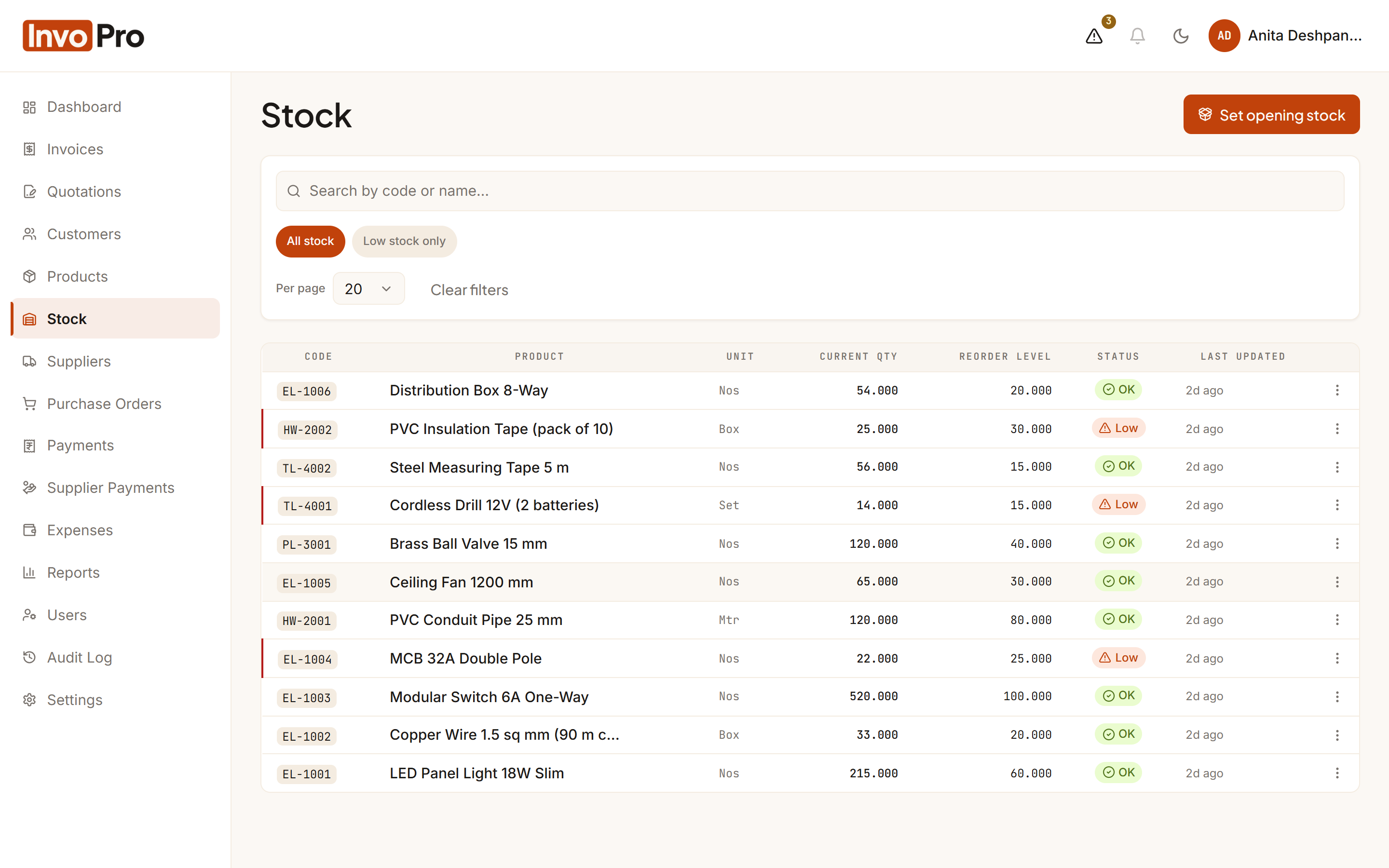
Every invoice, purchase receipt and cancellation moves stock automatically, so the count on screen matches the shelf.
- Stock deducted when an invoice is sent, returned if it is cancelled
- Stock added when you receive a purchase order — even part deliveries
- Reorder levels with a low-stock warning on every screen
- Complete movement history for every product
- Manual adjustments for damage, counts and returns
Purchases & suppliers
Buy smarter and know what you owe
Raise purchase orders, receive goods in parts, record supplier payments and see each supplier’s balance at a glance.
- Purchase orders with PDF and email to the supplier
- Receive full or partial quantities line by line
- Supplier payments with Cash, Bank, UPI or Cheque
- Running payable balance for every supplier
Payments
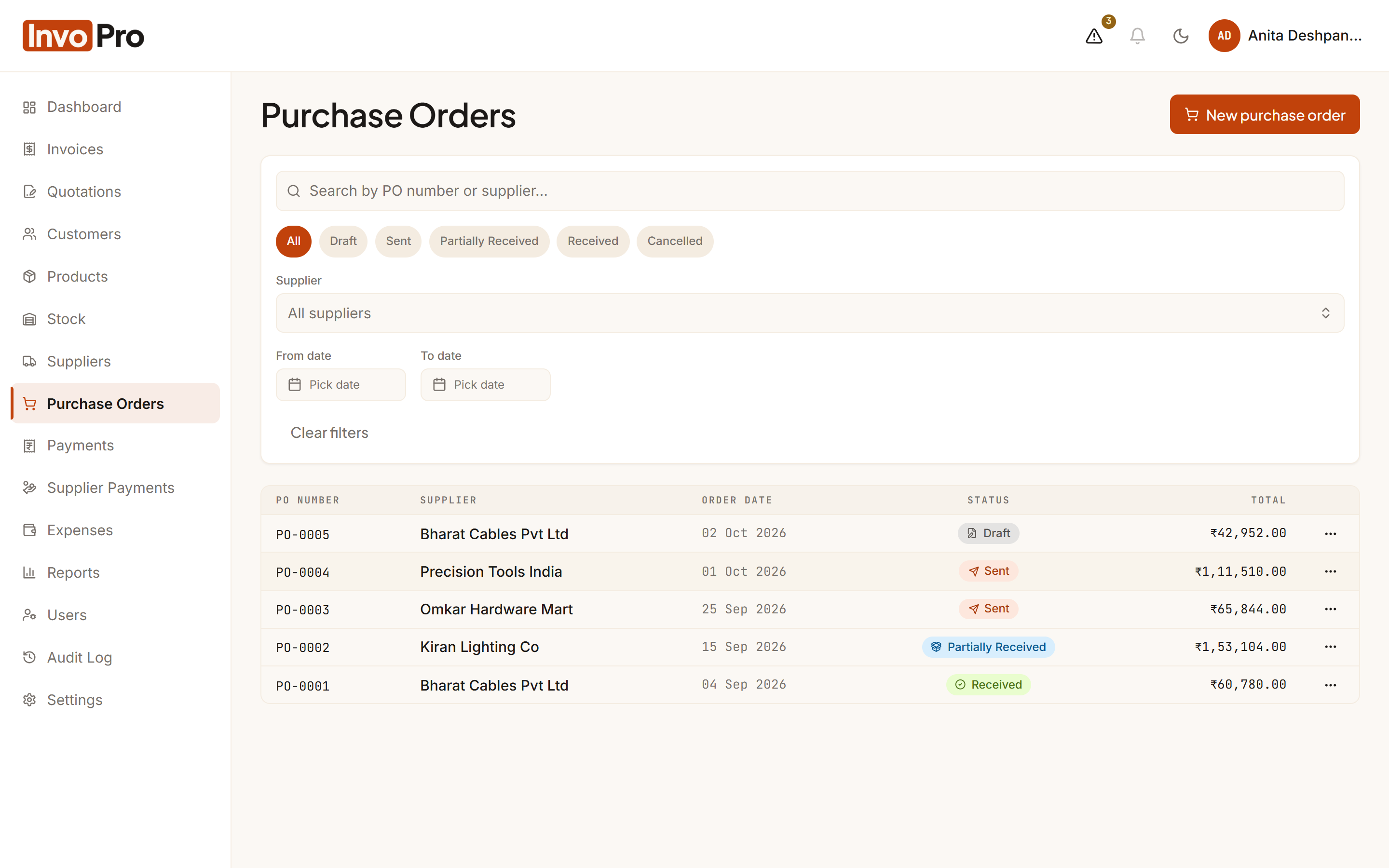
Know who has paid — and who hasn’t
Record full or part payments against invoices and hand customers a numbered receipt.
- Cash, Bank, UPI, Cheque and other payment modes
- Part payments update the balance due instantly
- Downloadable PDF payment receipts
- Outstanding receivables by customer
- Credit-limit warning while you bill
Expenses
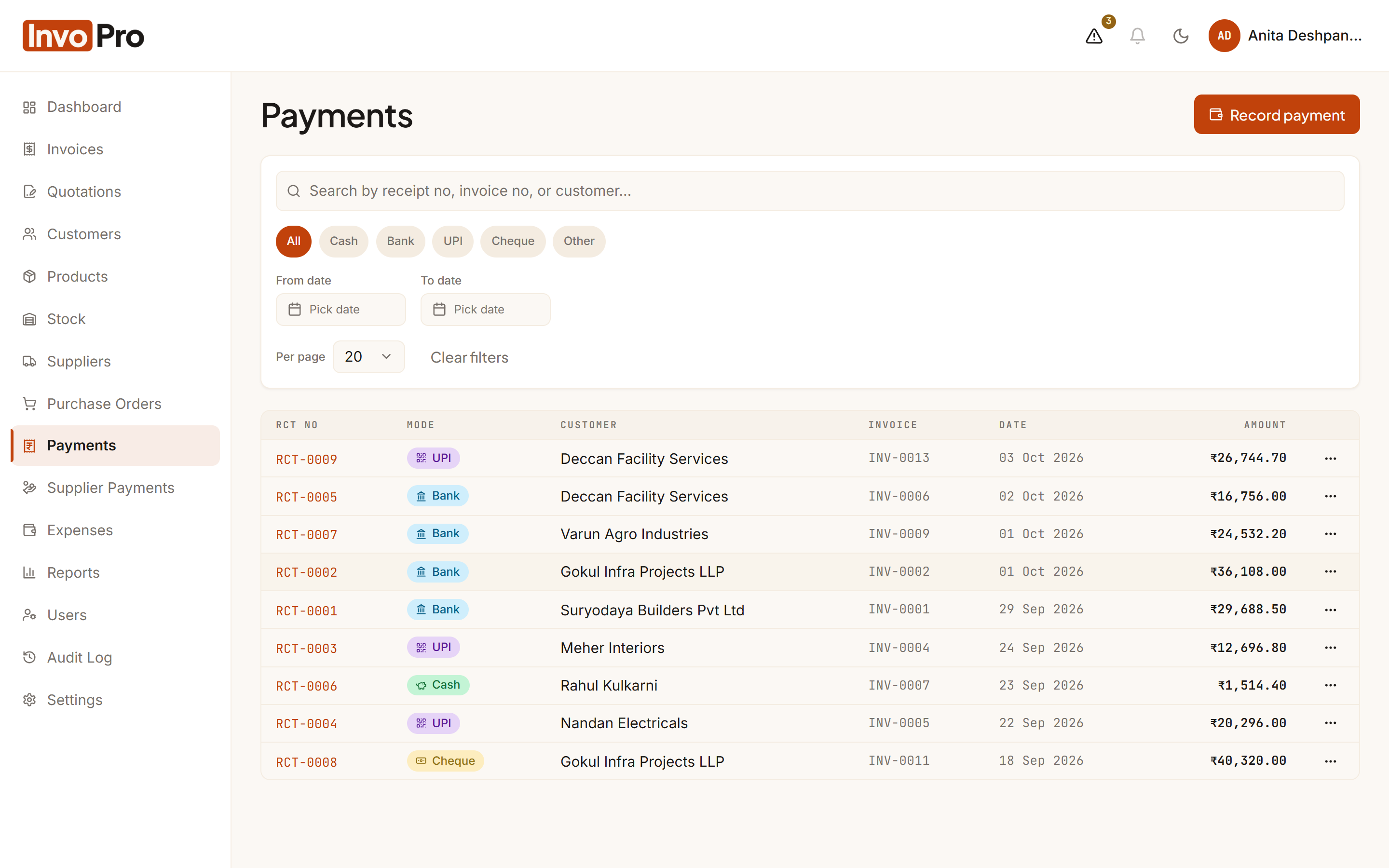
Every rupee spent, with the bill attached
Log business expenses by category and keep a photo or PDF of the bill with each entry.
- Your own expense categories
- Attach receipts as PDF or image
- Expense report by category with CSV export
Reports
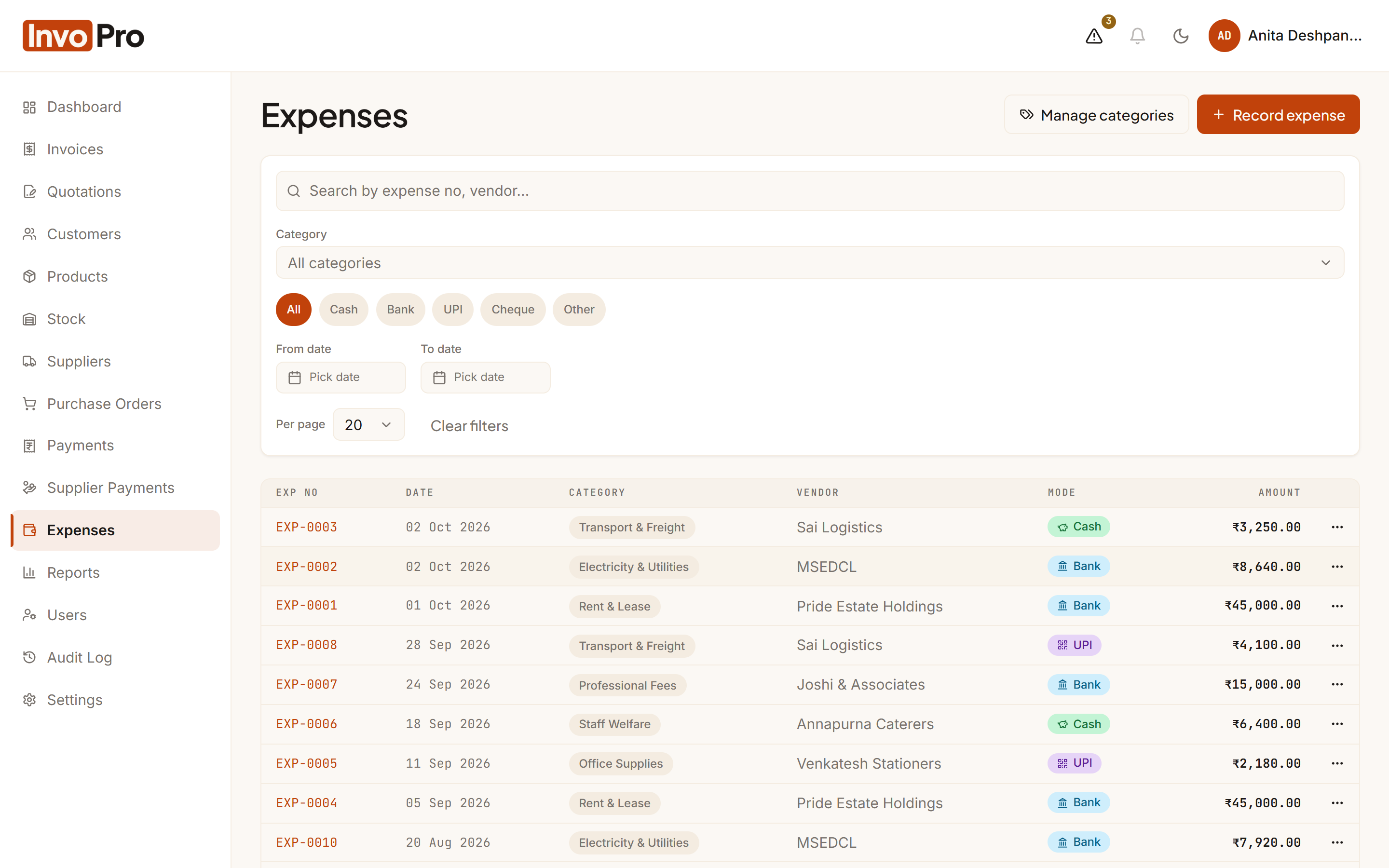
Your business on one screen
The dashboard shows this month’s sales and expenses, money owed to you and low-stock items the moment you sign in.
- Sales summary, payments by mode and expenses by category
- Outstanding receivables and tax summary
- GST reports for return preparation
- CSV export on every report
Your brand
Documents that carry your brand
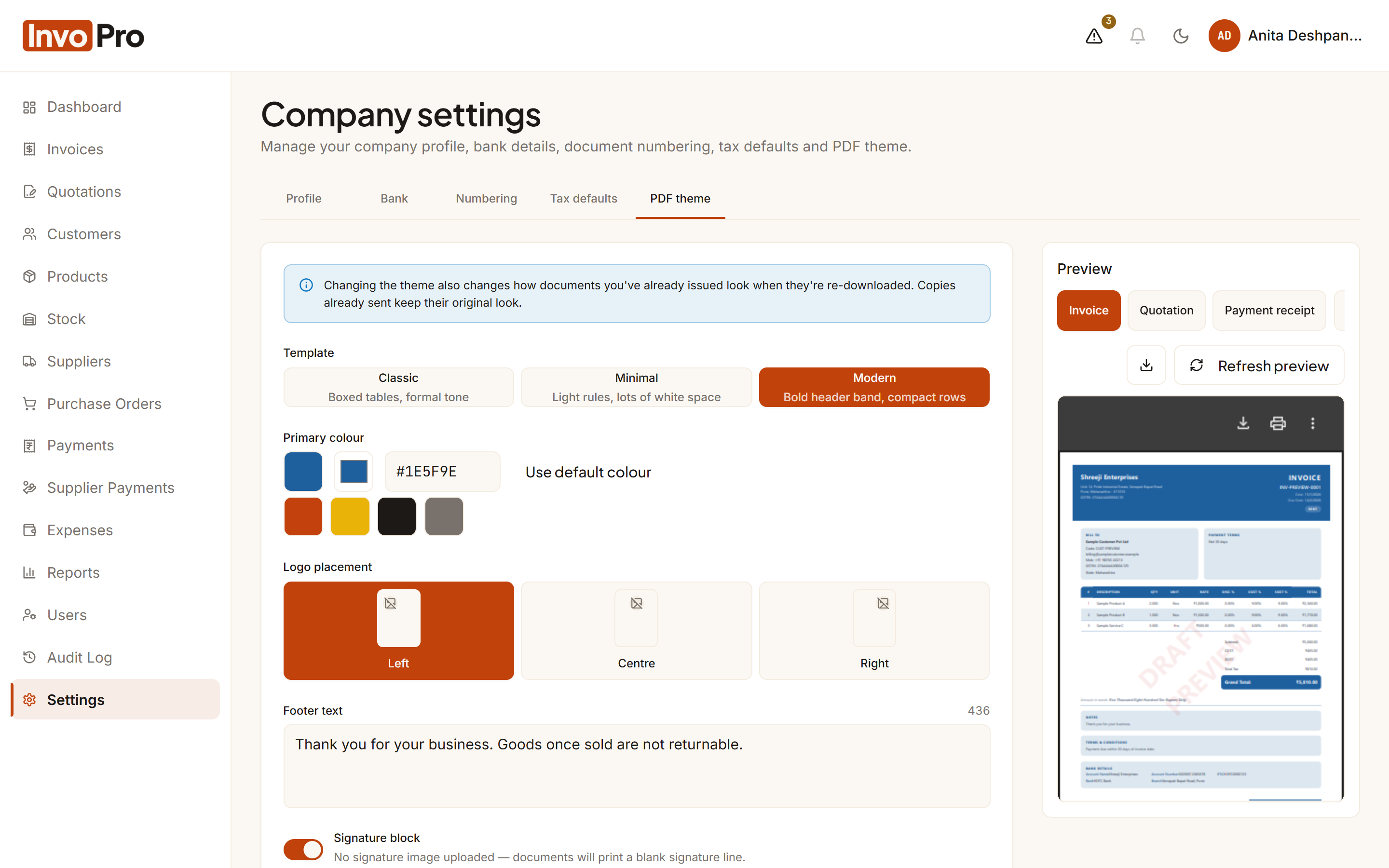
Choose a PDF style, add your logo, signature and bank details, and edit the emails that go out with every document.
- Three PDF styles — Classic, Minimal and Modern — with live preview
- Your brand colour, logo position, signature and footer
- Bank details printed on invoices when you want them
- Editable email templates with placeholders and test send
Team & control
Give your team access — not the keys to everything
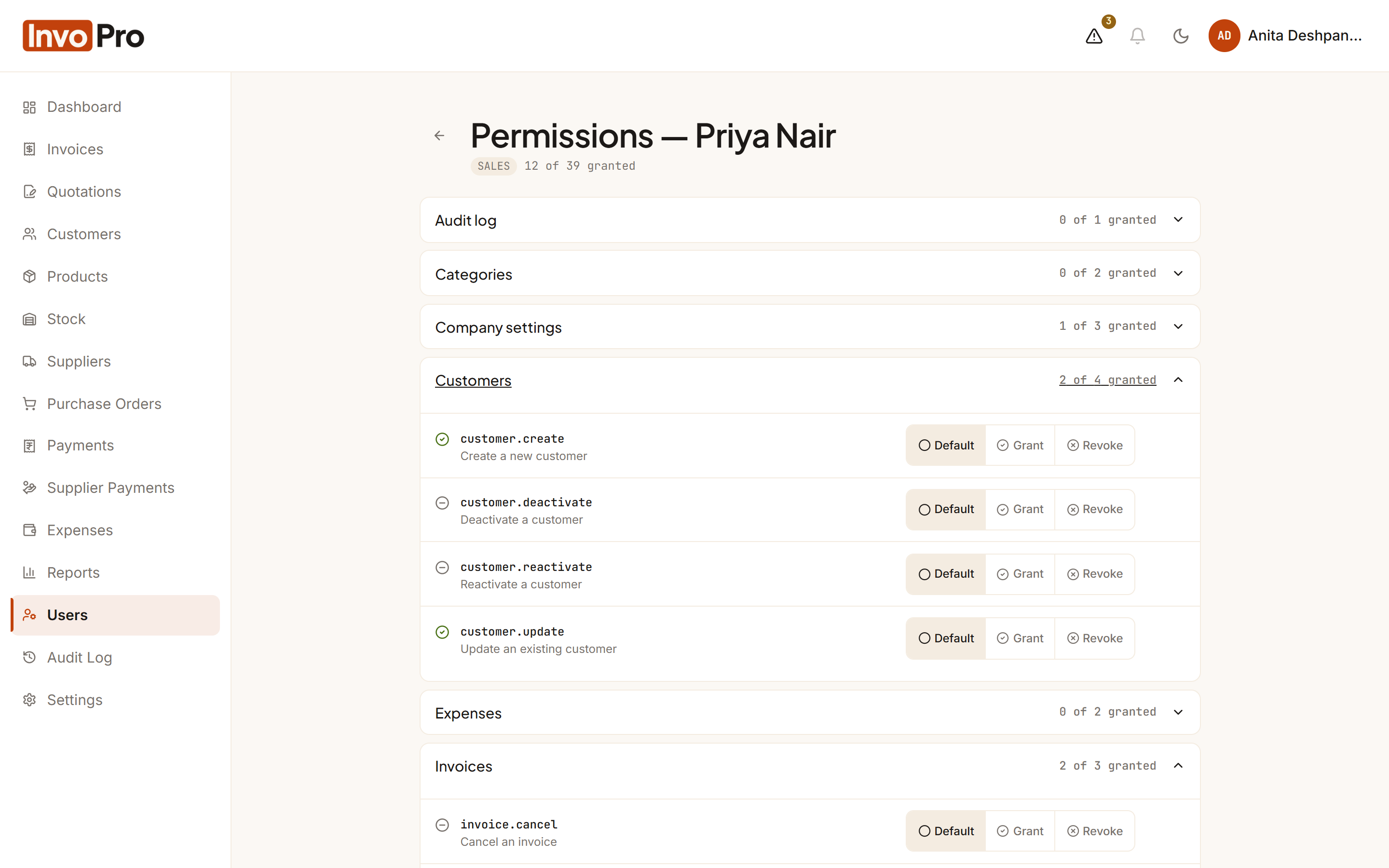
Invite staff by email, give each person the right role, and fine-tune exactly what they can see and do.
- Ready-made roles: Admin, Billing, Sales and Accountant
- Per-user permission controls, action by action
- Audit log of who changed what, and when
- Deactivate a user in one click when someone leaves
Across the app
The details that make daily work easier
Built for India
₹ amounts with Indian digit grouping, GST state codes, and invoice numbering that restarts every financial year.
Works everywhere
Runs in the browser on phones, tablets and computers — nothing to install, and light or dark display modes.
Secure sign-in
Every user has their own login, with repeated failed sign-in attempts blocked and every important change recorded in the audit log.
Fast search & filters
Search and filter your customers, products, invoices and payments to find what you need quickly.
InvoPro prepares GST figures for return filing; returns are filed by you or your accountant on the GST portal.
See InvoPro working for your business
Book a free live demo. We’ll walk you through billing, GST and stock using examples from a business like yours.